By Anas · Updated October 16, 2026 · 9 min read
How to Use Nano Banana for Interior Design (Honestly)
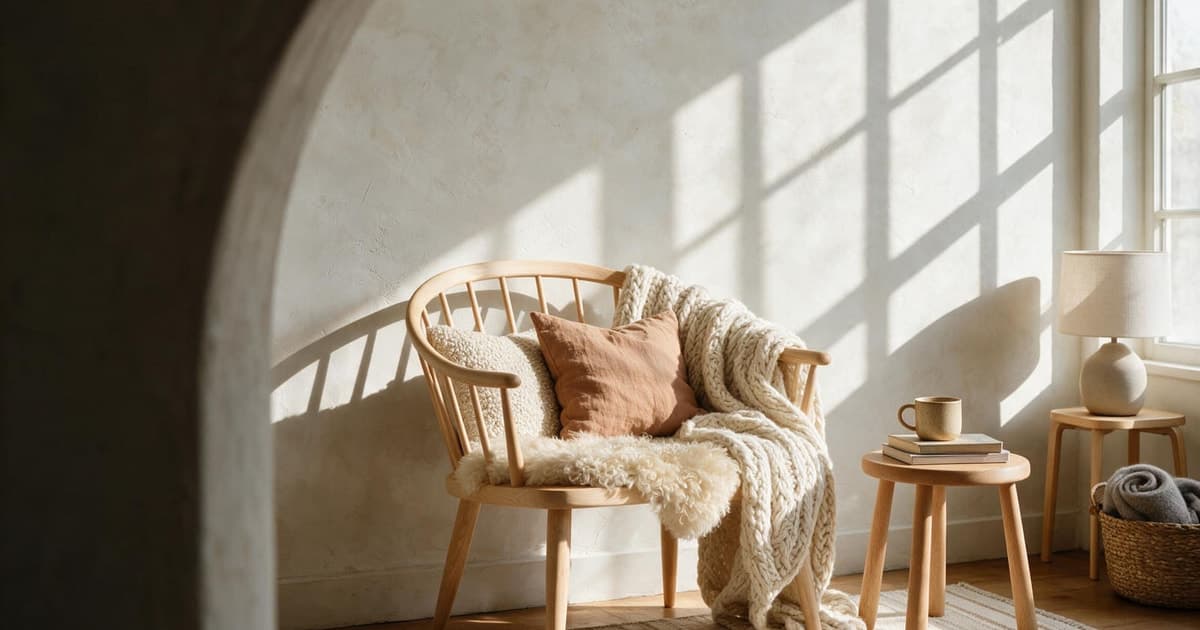
To use Nano Banana for interior design, open the Gemini app, upload a daylight photo of your room, and tell it exactly what must stay and the one thing you want changed. Most people's first try goes the other way: a vague "make it cozy" comes back with the window moved, the sofa swapped for a stranger's, and a rug that was never there. The model did exactly what it was asked, which was almost nothing.
One disclosure before the how-to. We build RoomCalm, a room-redesign tool that works from the same kind of photo, and Google AI is one of the processing partners behind it. So we have reasons to like Nano Banana and reasons to point out where it stops. We'll do both.
Can Nano Banana redesign my actual room from a photo?
Yes, Nano Banana can edit a photo of your real room, and photo editing is the thing it does best. You upload the picture, describe a change, and it paints the change into your actual walls rather than generating a stranger's living room from scratch.
A bit of naming, because Google's names are a tangle. The Google Developers Blog introduced the original Nano Banana as Gemini 2.5 Flash Image on 26 August 2025. Google's own blog says Nano Banana Pro followed in November 2025, and Nano Banana 2, which is Gemini 3.1 Flash Image, arrived on 26 February 2026. Same banana, three generations.
What it's good at: repainting walls, swapping a sofa for a different one, removing clutter, changing curtains, trying a different floor. What it can't see is anything that isn't in the photo. A general image model knows what rooms look like. It has never been told what yours measures. If you want the mechanics, our piece on how AI interior design works walks through the difference between generating a room and editing one.
Where do I use Nano Banana, and is it free?
You use Nano Banana inside the Gemini app, and a free Google account gets you a usage allowance rather than an unlimited tap. According to Google's blog post of 26 February 2026, Nano Banana 2 replaced Nano Banana Pro across the Fast, Thinking and Pro models in the Gemini app. Google AI Pro and Ultra subscribers can still reach Nano Banana Pro by regenerating an image from the three-dot menu.
Google doesn't publish a number of free images per day. The Gemini Apps Help page says limits are compute-based, so they depend on prompt complexity, the model picked and the chat's length. The limit refreshes every 5 hours until you hit a weekly ceiling. The same page lists Google AI Plus at 2x the standard limits, AI Pro at 4x, and AI Ultra at 5x or 20x the AI Pro limits depending on subscription, and notes that limits may change.
Because the allowance moves with how hard each edit works, treat it like a tester pot and spend it on the one room that bothers you most.
Which Nano Banana model should I pick for a room?
For a room photo, pick Nano Banana 2 or 2.1, and step up to Nano Banana Pro only when you're paying for detail at 4K. Google's Gemini API documentation lists five: Nano Banana 2.1, recommended for new projects as an update to Nano Banana 2; Nano Banana 2 Lite, the fastest and cheapest; Nano Banana 2, now the previous generation; Nano Banana Pro, the premium Gemini 3 Pro Image; and the original Nano Banana, marked legacy.
Skip Lite for room work. Google's own docs say it's "not optimized for multiple reference inputs or multi-turn sequential editing", and multi-turn editing is exactly how you'll work on a room.
Google's blog says Nano Banana 2 outputs aspect ratios and resolutions from 512px up to 4K, and keeps the resemblance of up to 5 characters and the fidelity of up to 14 objects in one workflow. For a living room, 14 objects is a sofa, a rug, two lamps and most of the shelves. The 4K setting matters only if you're printing the result or sending it to a builder who'll zoom in.
What prompt keeps my walls and furniture where they are?
The prompt that works tells Nano Banana what must stay before it says the one thing that should change. Name the window, the floor, the sofa and the layout as fixed, and the model has far less room to improvise.
Daylight, phone at chest height, the whole wall in frame, clutter cleared. Our guide on how to photograph a room for AI design has the details. RoomCalm's own upload code shrinks every photo to at most 1,600 px on the long side and re-saves it as an 85% JPEG, so a phone photo is plenty. Copy the template below.
- Edit this photo of my [living room]. Keep the exact camera angle, room shape, window, door and floor.
- Keep all furniture where it is, at its current size.
- Change only this: [repaint the walls a warm off-white].
- Keep the existing daylight and shadows. Add nothing new.
- Output one image at the input's resolution.
Four of the five lines are about not changing things. That's the whole trick. And if the result still drifts, start over with a clearer "keep" line.
The photo decides half the result before you type a word.
How to photograph your roomHow do I change one thing at a time without the room drifting?
Change one thing per message, keep the same conversation going instead of re-uploading, and go back to the original photo the moment the room stops looking like yours. Google's Gemini API docs say multi-turn conversation is their recommended way to iterate on an image.
Each edit is a fresh guess at the whole picture, and small guesses compound: by the sixth turn the window is narrower and the sofa is a cousin of the one you own. Because the model never measured anything, it has no fixed point to return to. Our piece on how accurate AI interior design is goes into why.
Two habits help. First, say "using the original photo" when you want a clean restart, and attach it again. Second, don't ask for four variations and expect four; the API docs note the model won't always follow the exact number of image outputs you request. One good image per turn is the honest pace. It's also how you end up with a picture of your room instead of a picture of a room.
Can I show it the exact sofa or rug I'm thinking of buying?
Yes, you can upload a product photo of the sofa or rug and ask Nano Banana to place that item in your room photo. Google's Gemini API docs say you can mix up to 14 reference images. With Nano Banana 2 and 2.1 that's up to 10 object images at high fidelity plus up to 4 character images; Nano Banana Pro takes up to 6 object images and up to 5 characters. The original 2.5 Flash Image works best with up to 3 input images.
Use the retailer's plain product shot, and say which existing item it replaces: "replace the grey sofa with the sofa in image 2, same position, same size". The fabric and colour usually come through well. The size is a guess. The model will scale the new sofa to roughly fill the space the old one left, which flatters and tells you nothing about whether it clears the radiator.
For the fit question there's Fit Check, which is part of RoomCalm's paid plans. The thinking is in will this couch fit.
See a specific item in your own room photo before you buy (Fit Check is part of the paid plans).
See Fit CheckWill Nano Banana tell me whether the furniture actually fits?
No, Nano Banana can't tell you whether a sofa fits, because it has no idea how big your room is and no prompt can give it that. A photo carries no units. The model draws a sofa that looks right in the picture, and "looks right" is a visual judgement with no inches behind it.
Nano Banana has no tape measure.
Here's the other thing a general image model doesn't apply: the rulebook. RoomCalm's method page collects the numbers designers use. Art hangs centred at 57 inches, museum practice. The NKBA Planning Guidelines call for a 42-inch work aisle in a kitchen. For light, our rule of thumb is about 20 lumens per square foot of floor for ambient light in a living space and about 50 for task areas like a counter or desk; the IES's residential practice, ANSI/IES/ALA RP-11-26, sets its targets differently. The 60-30-10 colour balance is a design-studio convention rather than a law.
Nano Banana will happily hang your art wherever it looks good in the picture. Nobody asked it the question.
The 57-inch rule, the 42-inch aisle and the lumen maths, with their sources.
Read the rulebookWhat does Nano Banana cost through the API?
Through the Gemini API, a Nano Banana image costs from $0.0336 to $0.24 depending on model and resolution, and there's no free tier for the image models. Those are the paid-tier prices on Google's Gemini API pricing page, which lists the free tier as "Not available" for them. The original logic, from the Google Developers Blog launch post, was $30.00 per 1 million output tokens with each image counted as 1,290 tokens, which works out to $0.039 per image.
| Model | 1K image | 2K image | 4K image | Other |
|---|---|---|---|---|
| Nano Banana 2.1 | $0.0336 | $0.0504 | $0.113 | |
| Nano Banana 2 (Gemini 3.1 Flash Image) | $0.067 | $0.101 | $0.151 | $0.045 at 512px |
| Nano Banana Pro | $0.134 | $0.134 | $0.24 | |
| Nano Banana (2.5 Flash Image, legacy) | $0.039 flat | $0.0195 in batch |
You don't need the API to redesign a room; the Gemini app does the same job without a card on file. The API matters if you're a developer wiring it into something, or if you've used up your app allowance and want to know what the meter would read. Thirty 1K images on Nano Banana 2.1 come to just over $1 at Google's listed $0.0336 each. Cheaper than a tester pot. The real cost is the evening you spend redoing drifted edits.
How can I tell an image was made with Nano Banana?
Every image Nano Banana produces carries an invisible SynthID watermark, and you can ask the Gemini app to check a picture for it. Google's Gemini API docs state that all generated images include SynthID. Google's blog post of 26 February 2026 says SynthID verification in the Gemini app had been used over 20 million times since its launch in November, and that Google pairs SynthID with C2PA Content Credentials.
Why would a person redesigning a bedroom care? If you share a before-and-after with a landlord or a contractor, it's worth knowing the after is labelled as generated, because anyone who checks will read it that way. And if you're browsing listings or inspiration boards, the check tells you whether that impossibly tidy room with the perfect light was ever a room at all.
It isn't a visible stamp. How it survives screenshots and heavy compression is Google's claim to make, so we'll leave that to Google. For most home use the watermark is a non-event; it just sits there, like the label inside a cushion.
When is a dedicated room tool the better choice?
A dedicated room tool is the better choice when you need the answer behind the picture, like whether the sofa fits or which paint to buy. A general model paints what you describe. It doesn't know the rulebook.
Here's RoomCalm's side, plainly. The first redesign is free with no sign-up: an image of your real room with your own belongings kept, what's holding the room back, why the style fits, and the first change to make. The paid Room Plan is $9 one-time for 25 redesigns and adds the closest brand paint codes with LRV, a lumen-math lighting plan, and the designer rules applied to your room. The codes are a closest match, never exact. Fit Check is on every paid plan; the paint colour visualizer is free and unlimited in the browser.
Now the limits. RoomCalm works from one photo, no one visits your home, and only the first redesign is free. Gemini gives you more free tries and more freedom. If you'd rather be told where the sofa goes and which tin to buy, that's what we built.
Upload one daylight photo and see your own room, your own things, and the first change to make.
Redesign my room freeQuick answers
Is Nano Banana free to use for interior design?
Yes, Nano Banana is free to use in the Gemini app with a Google account, within usage limits that Google doesn't publish as a fixed number of images. The Gemini Apps Help page says the limits are compute-based and refresh every 5 hours until a weekly cap. The Gemini API has no free tier for the image models; Google's pricing page lists it as "Not available".
Is Nano Banana the same as Gemini?
Nano Banana is the nickname for Gemini's image models, so it's part of Gemini rather than a separate product. The original was Gemini 2.5 Flash Image, announced 26 August 2025 on the Google Developers Blog. Nano Banana 2 is Gemini 3.1 Flash Image, announced 26 February 2026 on Google's blog.
Why does Nano Banana keep changing my furniture?
It changes your furniture because you didn't tell it to keep the furniture, and an image model treats anything unmentioned as fair game. Put a "keep" line first: camera angle, room shape, window, floor and every piece of furniture in its current position. Then name one change. Google recommends multi-turn editing, so put the next change in the next message.
Can Nano Banana give me paint codes for the colours it uses?
No, Nano Banana paints a colour into the picture but can't tell you which brand code it is, and anything it writes about codes is a guess from the image. RoomCalm's $9 Room Plan gives the closest brand paint codes with LRV, as a closest match rather than an exact one, and the free paint colour visualizer lets you try real codes on your own wall in the browser.
What's the best Nano Banana prompt for a room makeover?
The best prompt names what must stay, then asks for one change: "Edit this photo of my living room. Keep the camera angle, room shape, window, door, floor and all furniture in place. Change only the wall colour to a warm off-white. Match the existing daylight. Output one image." Add a product photo if you want a specific sofa or rug; Google's docs allow up to 14 reference images.