Upload a photo · Free first redesign · No sign-up
AI Room Redesign That Keeps Your Existing Furniture
RoomCalm redesigns the room in your photo instead of inventing a new one. On Light refresh every piece of furniture you own stays in the picture, restyled with better light, textiles and arrangement, and your walls, windows and doors stay put in every setting. Your first full redesign is free, with no sign-up and no card.
One photo. Usually under a minute.
The facts
Checked against the live product on 15 October 2026.
- Free
- Your first full redesign, with what's holding the room back and the first thing to change.
- Sign-up
- None for the free redesign.
- Card
- Not asked for.
- Watermark
- None on screen. The image you save carries a small roomcalm.com signature.
- What you upload
- One photo of your own room. A phone photo is fine.
- Always kept
- Your walls, windows, doors and the camera angle.
- Your furniture
- Light refresh keeps every piece. Makeover keeps the main pieces (sofa, bed, desk) and may swap smaller ones. Full redesign and Blank slate replace it. The AI redraws what it keeps, so pieces come back recognisably yours, not pixel for pixel.
- One thing only
- “Just one thing — I love the rest” replaces, removes, recolours or adds one piece and keeps the rest. You can add a photo of a product you have in mind.
- Time
- Usually under a minute.
- Your photo
- Not stored unless you choose to share it.
- After the free one
- $9 one-time for 25 redesigns, never auto-renews, or $15/mo unlimited. 14-day money-back on a first purchase.
- What paid adds
- The Room Plan (every change in order, a shopping list with price ranges, the closest real paint matches, a lighting plan in lumens) and Fit Check.
How do you keep your furniture in an AI redesign?
You choose how far the redesign may go before it starts. That choice decides what stays.
Light refresh
Keeps every piece. Arrangement, textiles, lighting and decor change.
Makeover
Keeps the sofa, bed or desk. May swap smaller pieces and the wall colour.
Full redesign
Keeps walls, windows and doors. New furniture.
Blank slate
Empties the room and starts again inside your walls.
Before and after: what stayed
Three redesigns from the live tool. Look for the things that are still there.
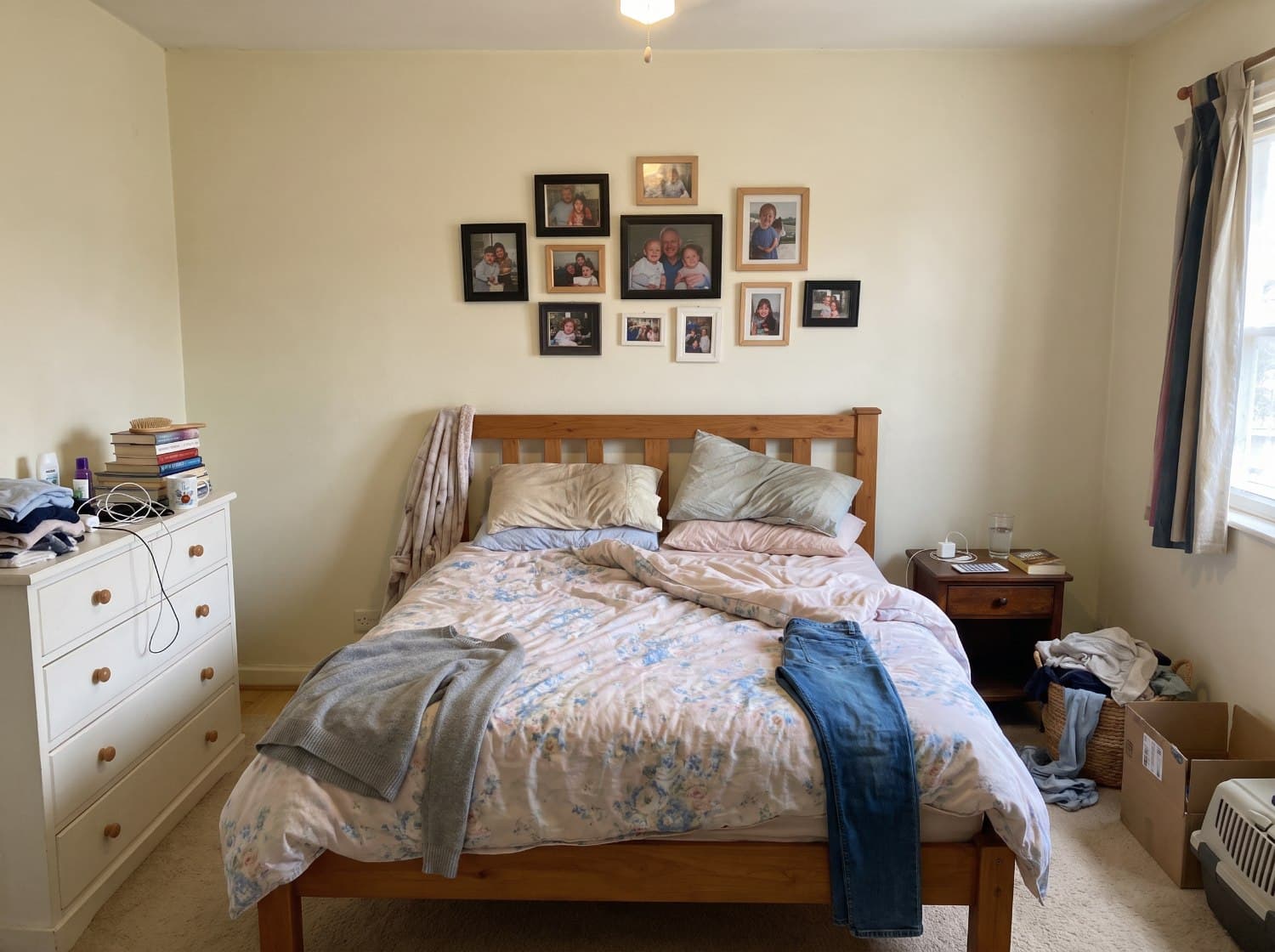 Before
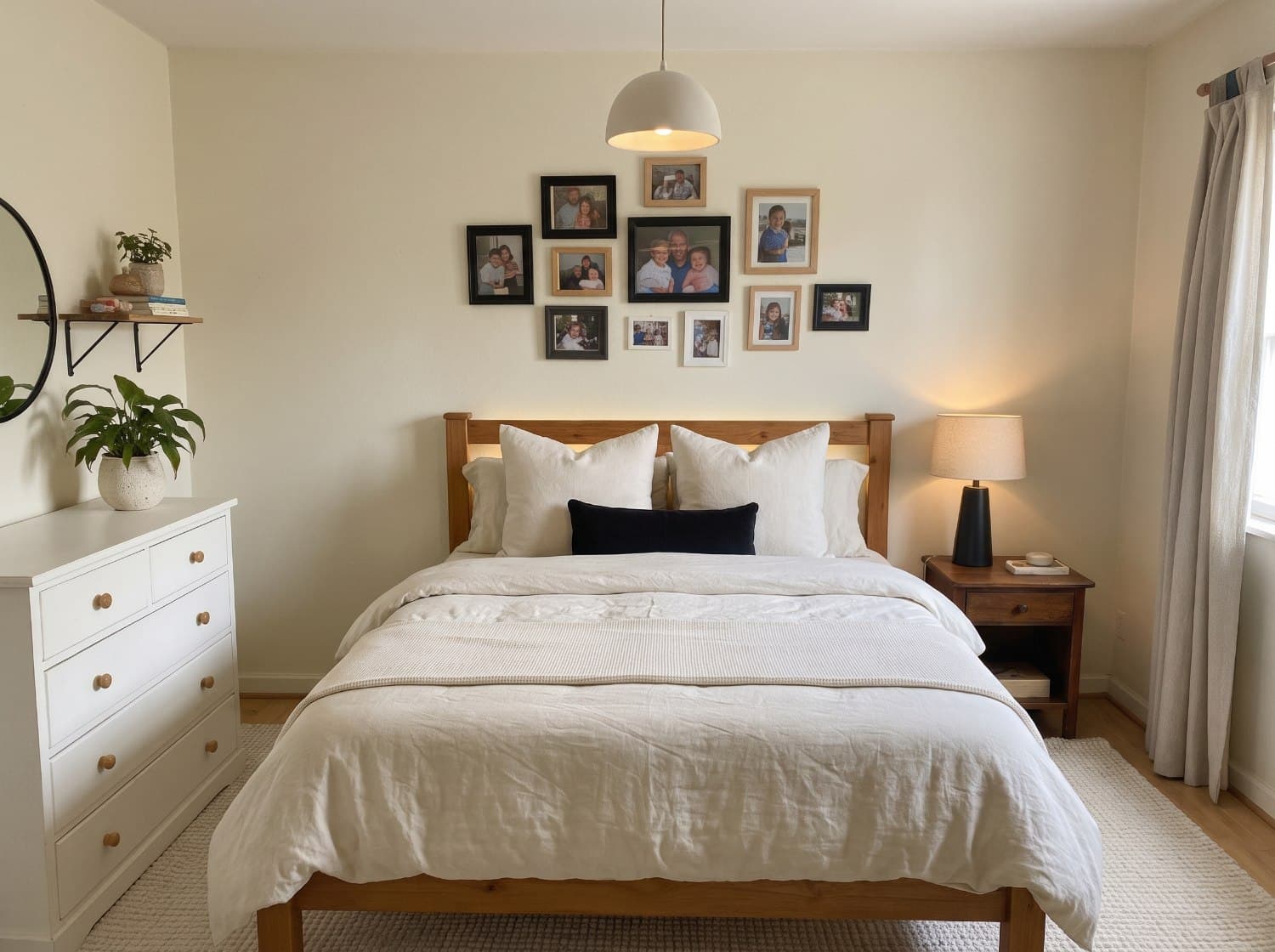 After · Light refresh
A bedroom, Light refresh
Kept: The wooden bed, the chest of drawers, the bedside table and every framed photo, in the same arrangement.
Changed: Clothes, box and cables gone; new bedding, a lamp, a rug and a pendant shade.
A real phone photo, run once, result untouched. One flaw: the carpet at the edges came back as a wooden floor.
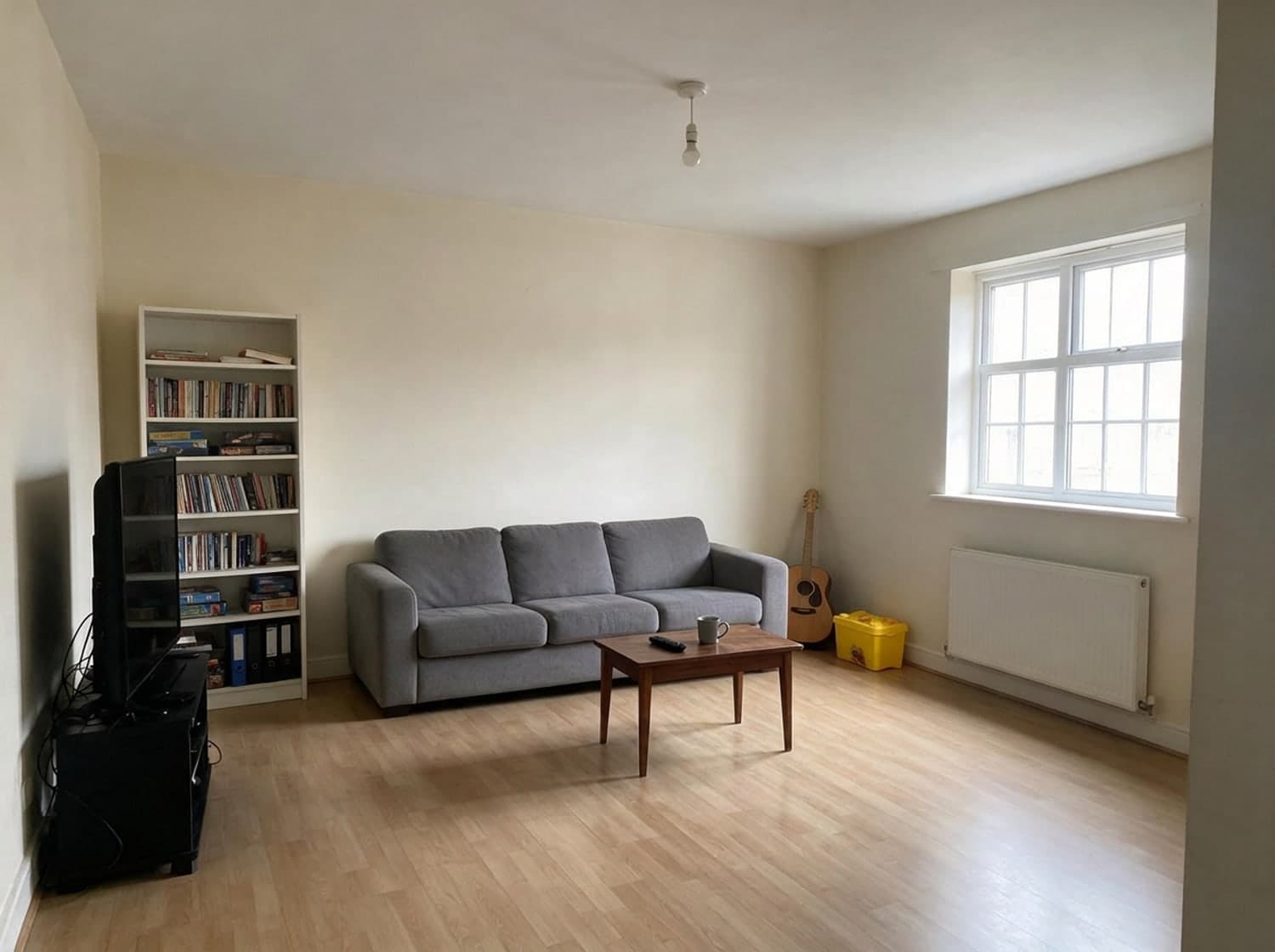 Before
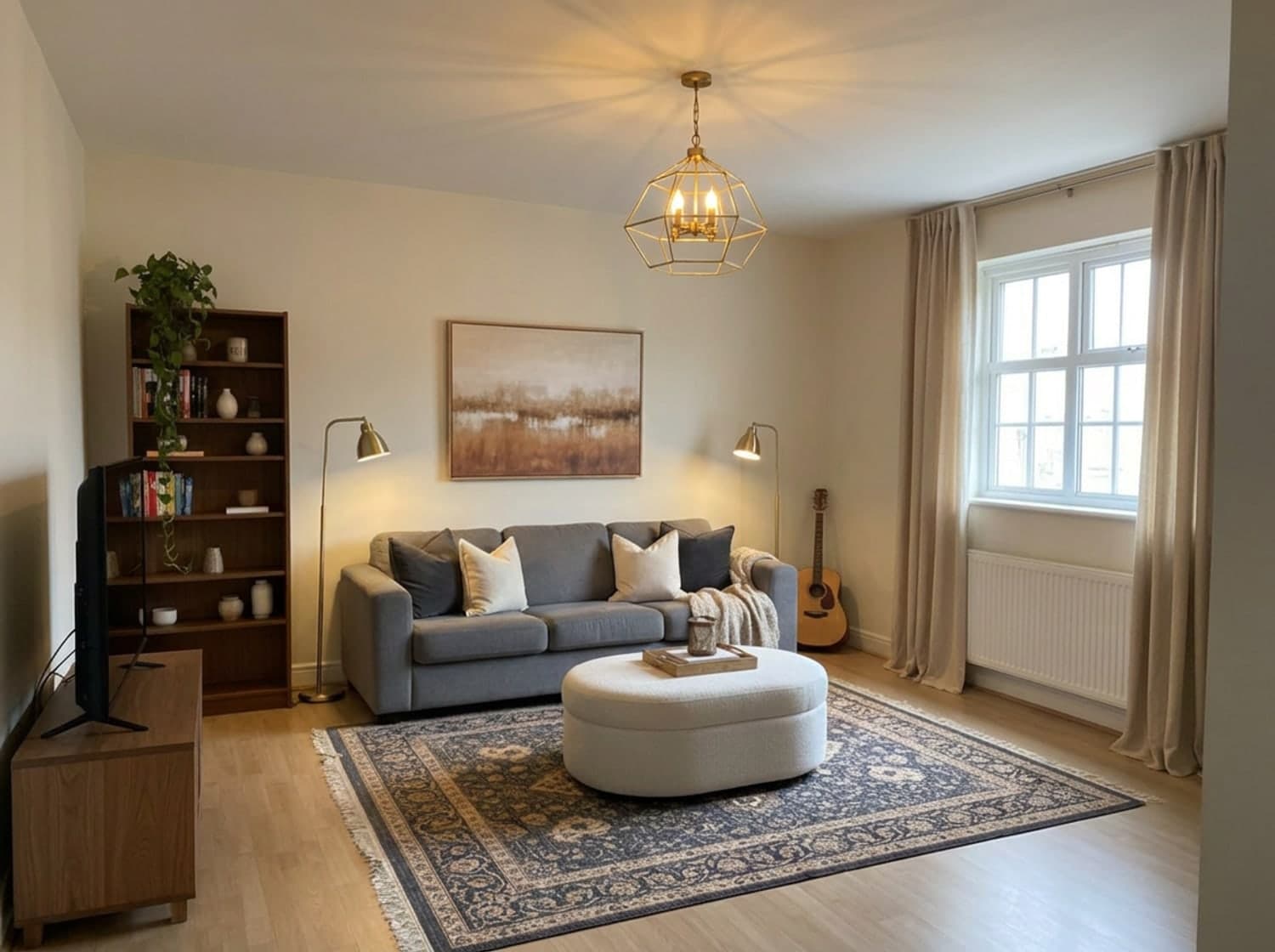 After · Makeover
A living room, Makeover
Kept: The grey sofa where it was, the guitar, the TV, the window and the radiator.
Changed: Makeover may swap smaller pieces, and it did: a new bookcase, TV stand and coffee table, plus lamps, curtains, a rug and art.
Before: a sample photo we supplied. After: one retouch pass (lamps switched on, small details painted out); the room, layout and kept pieces are the tool's output.
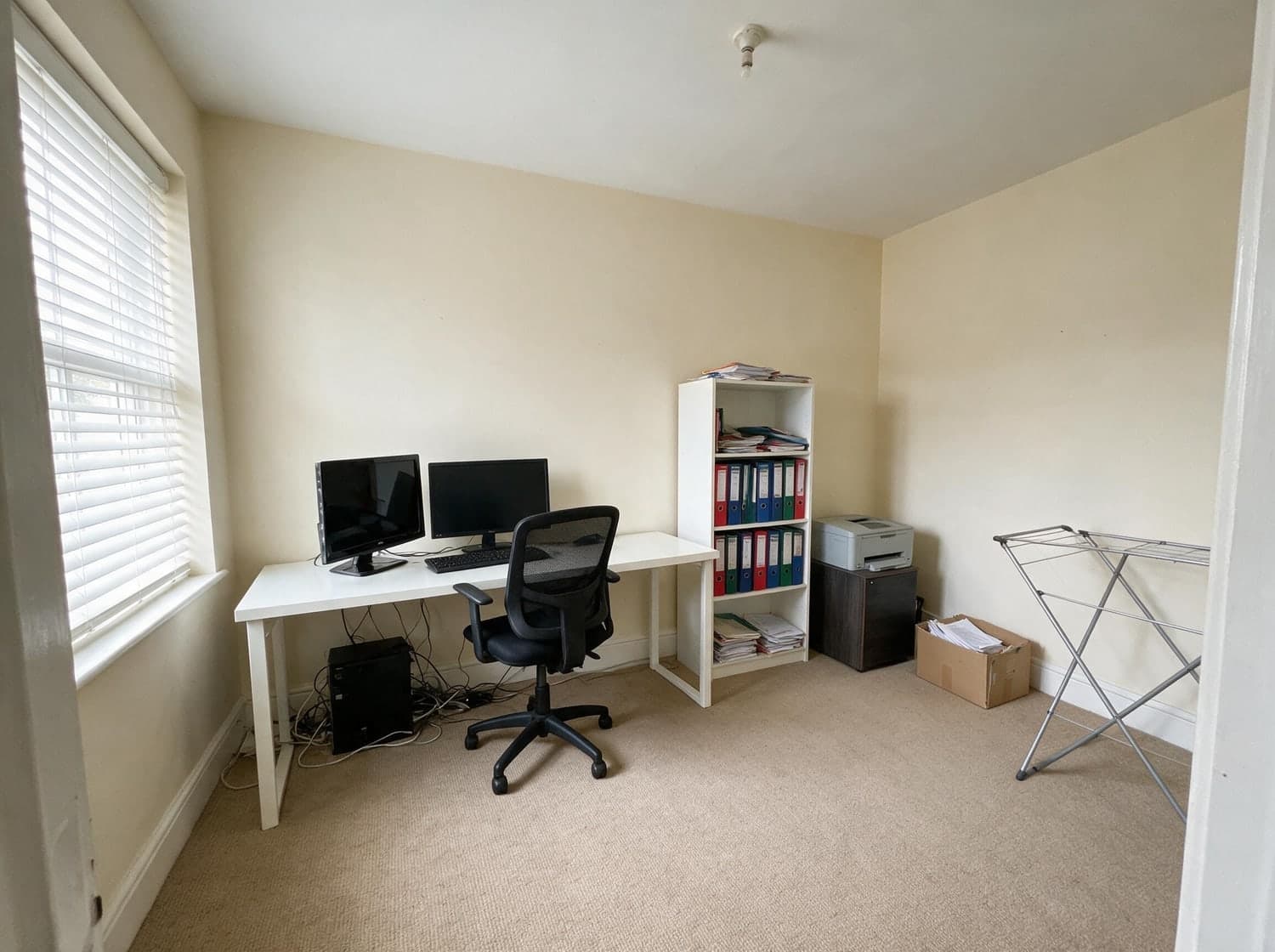 Before
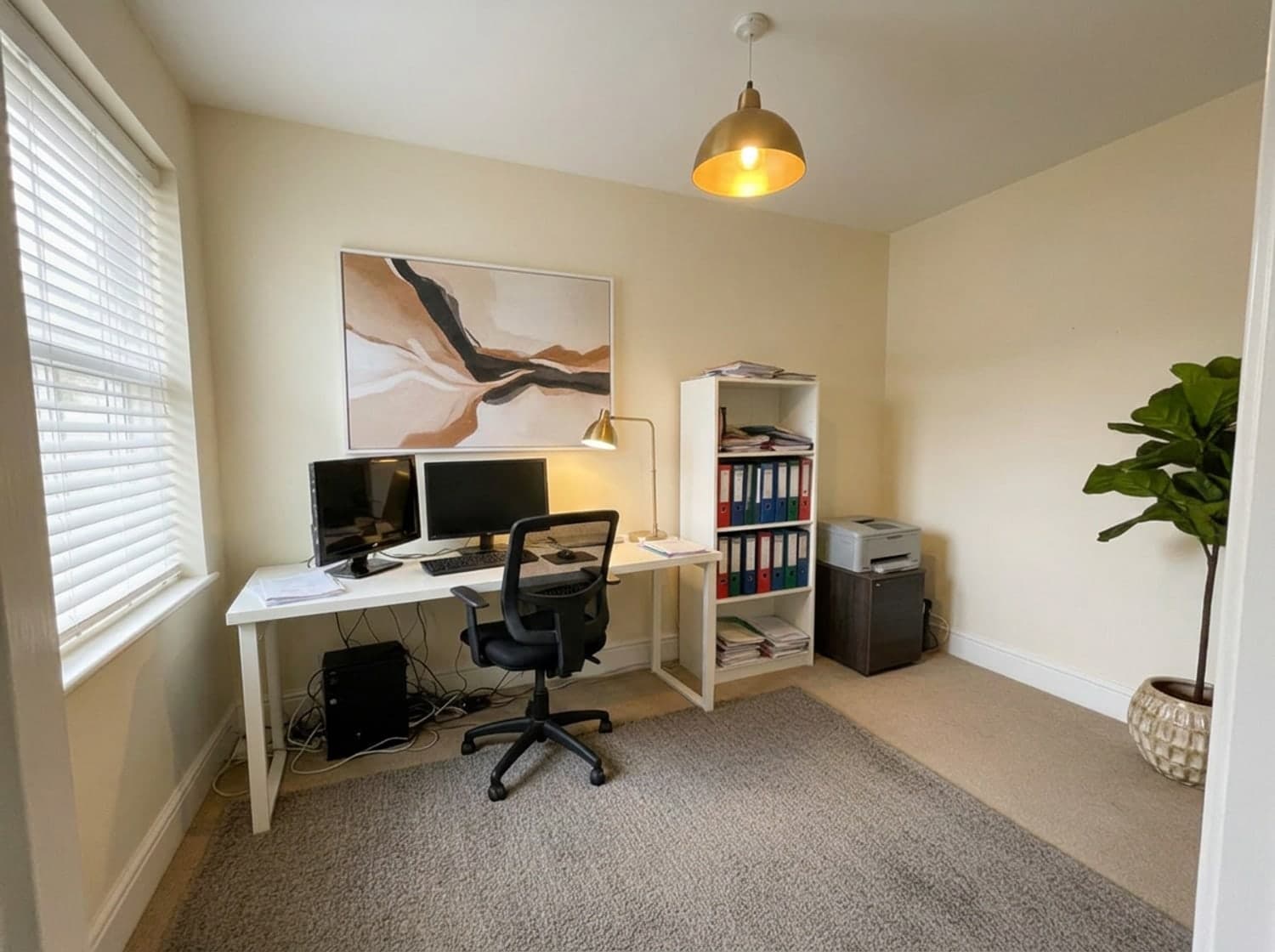 After · Light refresh
A home office, Light refresh
Kept: The desk, chair, both monitors, the printer and the ring binders, same shelf, same order.
Changed: Box and clothes airer cleared; a pendant, desk lamp, rug, plant and canvas added.
Before: a sample photo we supplied. After: one retouch pass (lamps switched on, small details painted out); the room, layout and kept pieces are the tool's output.
How it compares
Other AI room generators
Many generate a new room in the shape of yours, often with new furniture in it. Good for inspiration; less useful if the sofa is staying.
3D room planners
You rebuild the room from measurements and a catalogue. Strong for an empty room; slower for a furnished one, because you model what you own first.
An interior designer
Judgement, sourcing and accountability, at a real fee. Our interior designer cost guide has the numbers.
Keeping your furniture — questions people ask
Can AI redesign my room but keep my sofa?
Yes. Choose Light refresh and RoomCalm keeps every piece of furniture, sofa included, and restyles the room around it with light, textiles, decor and a tidier arrangement. Makeover keeps the sofa too but may swap smaller pieces. Only Full redesign and Blank slate replace the furniture.
Does it keep my windows and walls?
Yes, in every setting: the walls, windows, doors and camera angle stay as they are in your photo. Light refresh keeps the wall colour too; Makeover and Full redesign may repaint.
Is it free?
Your first full redesign is free, with no sign-up and no card. After that it is $9 one-time for 25 redesigns, or $15/mo unlimited.
Does it add a watermark?
Not on screen. The image you save carries a small roomcalm.com signature in the corner.
What if it changes my furniture anyway?
It can happen. The AI redraws the whole picture, so your sofa comes back recognisably yours rather than as a copy of the photo, and details can drift: a carpet that comes back as floorboards, a leaning guitar that moves. If too much changed, run it again on Light refresh, which tells the AI not to remove or replace any furniture, or use “Just one thing” to change a single piece.
Can I change just one thing, like the rug or the sofa?
Yes. “Just one thing — I love the rest” replaces, removes, recolours or adds one piece, or recolours the walls, and keeps everything else. For a replacement or an addition you can attach a photo of the product you want, such as a listing screenshot; it is used for that change only and not stored.
See your own room, with your own furniture
One photo, Light refresh, free. No sign-up, no card.
Renting, with furniture you can't replace? AI room design for renters. Ready to buy what the redesign shows? The Room Plan and its shopping list.
Redesign another room
Or answer one question first