By Anas · Updated October 20, 2026 · 9 min read
How to Use AI to Decorate a Room on a Budget (Honestly)
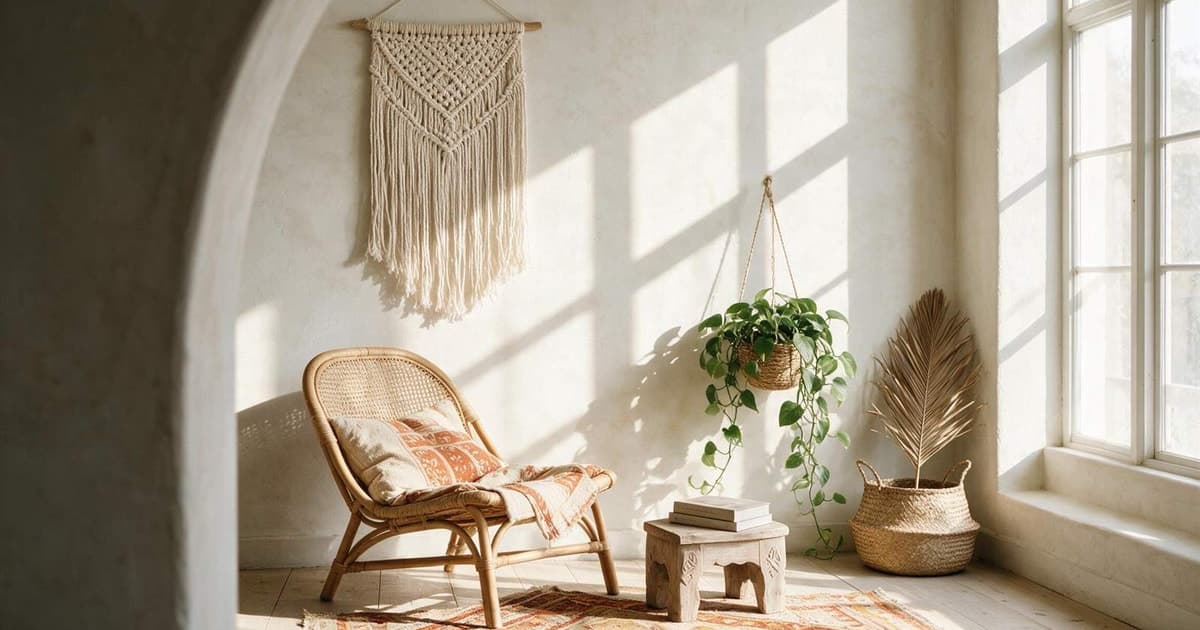
To use AI to decorate a room on a budget, upload one daylight photo of the room you actually have, ask the tool to restyle it around the furniture you already own, and buy only what the picture proves you need. Most AI design tools are cheap, but the real saving is the sofa you don't return and the gallon you don't repaint.
One disclosure before anything else. We build RoomCalm, an AI room-redesign tool, so we have a stake in you reading this. We'll say where our tool is free, where it costs money, and where a credit pack or a human designer is the better buy. Prices for other services are what their pages showed on 20 October 2026; if a number here disagrees with what you see, trust the page.
Can AI help you decorate a room on a budget?
Yes, AI can help you decorate on a budget, because its most useful job is stopping the wrong purchase, and the wrong purchase is the most expensive thing in any makeover. A redesign tool shows you a version of your own room before any money moves. On a small budget, the cost that hurts is the thing you buy twice.
There's a 5 by 7 rug leaning in a lot of hall cupboards, still in its plastic, because it stopped 4 inches short of the sofa's front legs and the return window closed. The photo looked fine online.
What an AI tool does well on a budget is sort the changes by effect. Moving the sofa costs nothing and repainting one wall costs a quart. A new rug costs real money, and the tool should show you whether the room needs it before you order. Our list of cheap ways to make a room look expensive is the same logic without the software.
What does AI room design cost compared with a designer?
AI room design runs from free to about $10 for a project, while an online human designer lists at $199 per room and an in-person one at $699, on Havenly's pricing page read 20 October 2026. The gap is wide because you're buying different things. The table below is the fair version.
| Route | Price | What you get | Wait |
|---|---|---|---|
| RoomCalm first redesign | Free, no sign-up | Image of your real room, what's holding it back, the first change to make | Minutes |
| RoomCalm $9 pack | $9 one-time, never renews | 25 redesigns, 5 HD, 5 Precise repaints, full Room Plan with shopping list, paint matches, lighting plan | Minutes |
| GenRoom credit pack | $9.99 one-time for 36 credits | About 18 designs at 2 credits each; credits valid 180 days | Minutes |
| Havenly online design | $199 list (sale $99 ended 20 Oct 2026) | A human designer, floor plan, 3D renderings, revisions, shopping list | 3 to 14 days for first concepts |
| Havenly in-person design | $699 list (sale $349 same day) | A designer in your home | Scheduled |
GenRoom's $9.99 for 36 credits is a fair deal if you want to try a lot of looks and don't need the rulebook; a design, an edit, a top view or a room from a floor plan costs 2 credits each, failed generations refund the credits, and bigger packs run $19.99 for 100 and $39.99 for 300. Havenly gives you a real person and a floor plan, which no AI tool we know of does. Sales come and go, so check the page. We compared the two routes in more depth in AI interior design vs hiring a designer.
Can AI restyle my room around the furniture I already have?
Yes, an AI redesign tool can restyle your room around the furniture you already own, and on a budget that's the setting to use first. In RoomCalm, the "light refresh" and "makeover" settings keep your own sofa and shelves recognisably yours and where they are, redrawn by the AI rather than photographed, while your real walls, windows and doors stay in every setting. "Full redesign" and "blank slate" replace the furniture, which is useful for dreaming and useless for a $200 budget.
The first redesign is free, with no sign-up, no card and no watermark on the screen. It shows your room, says what's holding it back, explains why the style fits, and names the first thing to change. The full Room Plan behind it is a locked teaser at that point. We'll get to what it costs.
The photo decides most of the result. Daylight, phone at chest height, the whole wall in frame, clutter moved out of shot. Our guide on how to photograph a room for AI design takes four minutes and saves a wasted upload.
Upload one daylight photo and see your own room, your own furniture, and the first change to make.
Redesign my room freeHow do I test a paint colour with AI before buying a gallon?
To test a paint colour with AI, upload a photo of your wall to a paint visualizer, try the colour on your own room, and then buy a tester pot for the real wall before the can. RoomCalm's paint colour visualizer is free and unlimited in the browser on your own photo. The "Precise" repaint gives one free a day, more on paid plans.
Here's why the test matters in money. Sherwin-Williams' paint calculator says a gallon typically covers about 350 to 400 square feet, a quart covers 100 square feet, enough for an accent wall or a door, and a gallon of primer covers about 200 to 300 square feet. That's per coat; the same page suggests keeping a little more than a gallon on hand. A wrong colour on four walls is a gallon and a weekend. On a tester patch it's the price of a coffee.
Buy the tester pot anyway.
A screen can't show you your wall at 7am and again at 10pm under the lamp you own. The visualizer narrows ten colours to two. The patch picks the winner.
Try any colour on your own wall, free and unlimited, before you buy a tester.
Open the paint visualizerCan AI plan cheaper lighting for my room?
Yes, AI can plan cheaper lighting by telling you how many lumens the room needs and where, so you buy two bulbs and a lamp instead of a fitting you don't need. Most people guess at this part.
The US Department of Energy's Energy Saver page says residential LEDs, especially ENERGY STAR rated, use at least 75% less energy and last up to 25 times longer than incandescent. The DOE's guide to energy-efficient lighting says to replace a 75-watt bulb, look for a 1,100-lumen CFL or LED. Our method page's rule of thumb is about 20 lumens per square foot of floor for ambient light in a living space, about 50 where you work; that's a rule of thumb and no published standard, and the IES's ANSI/IES/ALA RP-11-26 sets its targets differently.
So a 12 by 15 foot living room is 180 square feet, which at 20 lumens per square foot is 3,600 lumens, roughly three-and-a-bit 1,100-lumen bulbs spread across lamps. Keep them warm, 2700 to 3000K, and don't mix colour temperatures in one sightline. The paid Room Plan writes this out in real lumens; the free redesign doesn't.
The lumen maths, the 57-inch rule and the rug sizes, with their sources.
Read the methodWhich cheap changes should I ask the AI to try first?
Ask the AI to try the free changes first: move the furniture, rehang the art, raise the curtain rod, swap the bulbs, and only then a rug or a repaint. The rules on our method page make those changes work.
- Layout. Sofa off the wall or turned toward the window, which costs nothing.
- Art. Centre about 57 inches from the floor, museum practice per the Toledo Museum of Art's hanging guidance; over furniture, bottom of frame 6 to 8 inches above the piece.
- Curtains. Rod 4 to 6 inches above the frame, 8 to 12 inches past each side, panels just touching the floor.
- Rug. 8 to 12 inches past the sides of the sofa, with at least the front legs of every seat on it; in a bedroom, 18 to 24 inches beyond the bed.
- Finishes. Repeat one you own, brass, black metal or a wood tone, in at least three places.
- Colour. 60-30-10: 60% dominant, 30% secondary, 10% accent.
And one change per go, or you won't know which one did the work. For what a tool can and can't judge about layout from a single photo, our piece on AI furniture placement is the honest version.
Will an AI tool give me a shopping list with prices?
Yes, an AI tool can give you a shopping list with price ranges, but in RoomCalm it's part of the paid Room Plan rather than the free redesign. The free result shows your room, what's holding it back, why the style fits, and the first change to make. It doesn't list purchases or quote prices.
The Room Plan lists every change in order with a shopping list and price ranges, the closest real paint matches with brand, code and LRV, a lighting plan in real lumens, and the designer rules applied to your room. The codes are a closest match, never exact. Most people should take the $9 one-time pack: 25 redesigns, 5 HD and 5 Precise repaints, never renews, because decorating is usually one project. Unlimited is $15 a month and All-Access $30. The first purchase is refundable in full for 14 days.
Fit Check, on all three paid plans, places a product photo in your room photo as an AI edit at realistic scale, which tells you whether a chair is the right size before the box arrives. Havenly's list comes with a human who picked it.
See a specific product in your own room photo before you order it (Fit Check is part of the paid plans).
See Fit CheckWhat can't AI do when you're decorating on a budget?
AI can't measure your room and can't tell you what a colour will do under your actual lamp, so every picture it makes is an educated guess dressed as a photograph. But a photo carries no units, which is why the sofa in a redesign always looks like it fits.
Here's the honest list from our side. Price ranges in a Room Plan are ranges; the shop sets the price. Paint matches are the closest code to a colour in a rendered image, and the rendered image is already an approximation of your wall. The lighting plan uses a rule of thumb. Fit Check places a product at realistic scale from a photo, which is not the same as a tape measure, and it doesn't know about the radiator behind the sofa.
The tool also can't know your landlord's rules, or that the wall you want to paint is the one with the damp patch. We wrote up how accurate AI interior design is with the specifics. Let the picture pick what to try, and let the tape measure and the tester pot pick what you pay for.
What's the cheapest order to decorate a room with AI?
The cheapest order is one free redesign, the first change it names, the free paint visualizer and a tester pot, then a paid plan only if changes are left. Nothing costs money until the tester pot.
- Photograph the room in daylight and run the free redesign on "light refresh" or "makeover".
- Do the first change it names; layout or art height is a free afternoon.
- Try two or three colours in the free visualizer, then one tester patch on the real wall, seen morning and night.
- Bulbs before fittings: a 1,100-lumen warm LED replaces a 75-watt bulb and, per the DOE, uses at least 75% less energy.
- If the room still needs more, take the $9 pack for the ordered list, paint matches and lumen plan; the 14 days tell you whether it earned its money.
- Buy the one piece the plan says matters most.
Because the tool costs between nothing and $9, the money goes on a quart of paint and a rug that reaches the sofa. No design tool, ours included, has stood in your room watching where the light lands at four in the afternoon. You have.
The $9 pack, the two monthly plans, and what each includes, on one page.
See the pricingQuick answers
Can I use AI to decorate my room for free?
Yes, you can get a first AI redesign of your own room free with no sign-up, no card and no watermark on screen at RoomCalm, and the paint colour visualizer is free and unlimited on your own photo. Only the first redesign is free; the Room Plan with the shopping list, paint matches and lighting plan starts at $9 one-time. GenRoom's $9.99 pack of 36 credits, about 18 designs, is a fair alternative if you want more tries and no rulebook.
Is AI interior design cheaper than hiring a designer?
Yes, AI interior design is far cheaper: free to about $10 for a project, against Havenly's list prices of $199 per room online and $699 in person, read 20 October 2026. The designer gives you a human, a floor plan, 3D renderings and revisions, with first concepts in 3 to 14 days. The AI tool gives you a picture of your own room in minutes and, on a paid plan, the rules and the list.
Will AI keep my own furniture in the redesign?
Yes, on RoomCalm's "light refresh" or "makeover" setting your own furniture stays recognisably yours and where it is, redrawn by the AI, and your real walls, windows and doors stay in every setting. "Full redesign" and "blank slate" replace the furniture. On a budget, use the first two.
How much paint do I need for one accent wall?
A quart covers 100 square feet per coat, which Sherwin-Williams' paint calculator says is enough for an accent wall or a door. A gallon typically covers about 350 to 400 square feet and a gallon of primer about 200 to 300. Test the colour in a visualizer first, then paint a tester patch on the real wall before buying the quart.
What's the cheapest lighting fix an AI can suggest?
The cheapest lighting fix is swapping bulbs: the DOE's guide says a 1,100-lumen LED replaces a 75-watt bulb, and its Energy Saver page says residential LEDs use at least 75% less energy and last up to 25 times longer than incandescent. Aim for roughly 20 lumens per square foot of floor as ambient light, a rule of thumb and no standard, keep bulbs at 2700 to 3000K, and don't mix colour temperatures in one sightline.